For Tutors
Episode 5: Building Your Question Bank
Master the Question Bank to create reusable questions, organize them into groups, and streamline your quiz creation process.
## Building Your Question BankThe Question Bank is a library of reusable questions. Building a strong question bank makes quiz creation faster and more flexible.
### 5.1 Accessing the Question Bank
Steps:
1. From the sidebar, navigate to Quizzes then Question Bank.
2. Click Add Question.
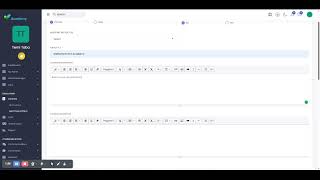
### 5.2 Creating a Question
Required Fields:
- Group - The question group/topic this question belongs to.
- Question Type - The format of the question (see types below).
- Marks - Points awarded for a correct answer.
- Question - The actual question text (supports rich text and images).
Question Types Available:
- Multiple Choice - One or more correct answers from options
- Short Answer - Student types a brief text response
- Long Answer - Student types a detailed essay-style response
- Sorting - Arrange items in the correct order
- Matching - Match items from two columns
- Cloze (Fill-in-the-Blank) - Complete a sentence with missing words
- Puzzle - Match questions to answers visually
### 5.3 Adding Answer Options (Multiple Choice)
For Multiple Choice questions:
1. Enter the Number of Options (e.g., 4).
2. Click Create.
3. Fill in each option text.
4. Check the box next to the correct answer(s).
5. Click Save.
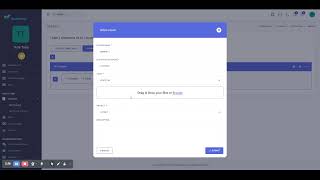
### 5.4 Question Groups
Organize your questions into groups (e.g., "Math - Algebra", "Science - Physics").
Steps to Create a Group:
1. Go to Quizzes then Question Group.
2. Click Add Group.
3. Enter the Title and click Save.
Pro Tips:
- Create groups by topic or difficulty level
- Use descriptive names for easy searching
- Reuse questions across multiple quizzes
Next Steps:
In Episode 6, learn how to host live virtual classes with your students!